この記事で扱うこと
Dify(セルフホスト版)で Google Calendarプラグイン(Marketplace版) を使い、エージェントから create_event を呼ぶと、
- OpenAI API から 400
Invalid schema for function 'create_event'('properties', 'attendees'), array schema missing items
というエラーで止まる問題の原因と、現実的な直し方(回避策〜根治まで)をまとめます。
発生した症状
Difyのエージェント(LLM: gpt-5.2-mini)に「予定を作って」と依頼し、Google Calendarツール create_event を使う構成にすると、実行時に以下のようなエラーで失敗します。
Bad Request Error, Error code: 400
Invalid schema for function 'create_event':
In context=('properties', 'attendees'), array schema missing items.
type: invalid_request_error
code: invalid_function_parameters
param: tools[2].function.parameters
ポイントは LLMが何かを間違えたのではなく、OpenAIが「ツール定義(function schema)が壊れている」と判断してリクエスト自体を拒否していることです。
環境(筆者の再現条件)
- Dify: 1.11.2(セルフホスト)
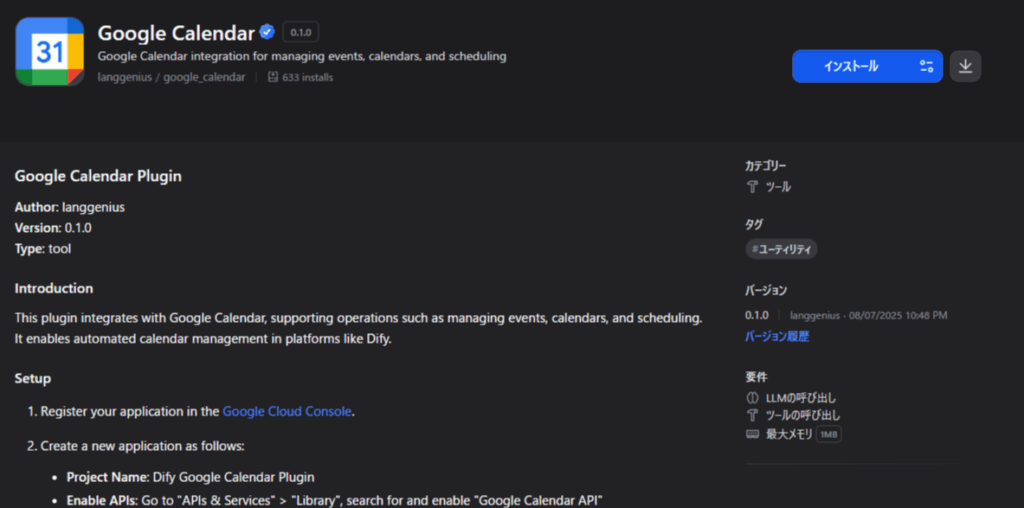
- Google Calendar plugin(langgenius/google_calendar): 0.1.0 Difyアプリ上のマーケットプレイスより入手
- Difyでのアプリ種類:Agent
- Tool:上記langgenius/google_calendar
- LLM:LLM: gpt-5.2-mini
再現手順
- Difyでエージェント作成
- Google Calendarツール
create_eventを有効化 - LLMに「予定の追加」を依頼して実行
- 上記エラーが発生
原因:attendees の schema が不正(array なのに items がない)
AIくんに丸投げして質問したところ、以下が原因な様です。プラグインの更新もないため、手動でプラグインコードを修正してアップロードして対応をします。
エラー文が示す通り、
attendeesが配列(array)として扱われているにもかかわらず、OpenAIに渡る function schema 内でitems(配列要素の型定義)が欠落しています。たとえば、正しいJSON Schemaなら配列はこうなります(概念例):
“`json
“attendees”: {
“type”: “array”,
“items”: { “type”: “string” }
}
しかし実際には items がなく、OpenAI側のスキーマ検証で弾かれて 400 になります。なぜ「items を足す」だけで直らないケースがあるのか
Difyのプラグインパラメータ定義(YAML)と、OpenAIに渡す function schema(JSON Schema)には変換が挟まります。この変換で、
プラグイン側の type: array を正しく扱えない
または items を落としてしまう
といった挙動があると、YAML側で頑張って items を書いても最終的に OpenAIへ届かないことがあります。その場合、最も堅い回避策は 「配列をやめて、文字列として受ける」 です。
対応方針(結論)
:attendees を string に落として実装側で配列化する
方針
attendees を tool 定義では string として受けるツール実装(Python)でカンマ区切り、セミコロン区切り、改行区切り
JSON配列文字列([“a@x”,”b@x”])を許容して メール配列に変換し、Google Calendar API に渡す
これなら、OpenAIの function schema では attendees は単なる string なので、array/items 問題が完全に回避できます。
具体的なコード修正箇所
修正箇所1
langgenius-google_calendar_0.1.0.difypkg\tools\create_event.py 42行目付近
※difypkgファイルはZIPファイルとして展開できます
修正前
        # Extract parameters
        calendar_id = tool_parameters.get("calendar_id", "primary")
        end_time = tool_parameters.get("end_time")
        all_day = tool_parameters.get("all_day", False)
        description = tool_parameters.get("description")
        location = tool_parameters.get("location")
        attendees = tool_parameters.get("attendees", [])
        time_zone = tool_parameters.get("time_zone")
        visibility = tool_parameters.get("visibility", "default")
        send_notifications = tool_parameters.get("send_notifications", True)

        access_token = self.runtime.credentials.get("access_token")
修正後コード
        # Extract parameters
        calendar_id = tool_parameters.get("calendar_id", "primary")
        end_time = tool_parameters.get("end_time")
        all_day = tool_parameters.get("all_day", False)
        description = tool_parameters.get("description")
        location = tool_parameters.get("location")
        attendees_raw = tool_parameters.get("attendees")
        attendees = []
        if isinstance(attendees_raw, list):
            attendees = attendees_raw
        elif isinstance(attendees_raw, str) and attendees_raw.strip():
            s = attendees_raw.strip()
            # Accept JSON array string or comma/semicolon/newline separated emails
            try:
                if s.startswith('['):
                    v = json.loads(s)
                    if isinstance(v, list):
                        attendees = v
            except Exception:
                pass
            if not attendees:
                parts = re.split(r'[;,\s]+', s)
                attendees = [p for p in parts if p and '@' in p]

        time_zone = tool_parameters.get("time_zone")
        visibility = tool_parameters.get("visibility", "default")
        send_notifications = tool_parameters.get("send_notifications", True)

        access_token = self.runtime.credentials.get("access_token")
修正箇所2
\langgenius-google_calendar_0.1.0.difypkg\tools\create_event.yaml
identity:
  name: create_event
  author: langgenius
  label:
    en_US: Create Event
    zh_Hans: 创建事件
    ja_JP: イベントを作成
  icon: icon.png
description:
  human:
    en_US: Create a new event in Google Calendar
    zh_Hans: 在Google日历中创建新事件
    ja_JP: Googleカレンダーに新しいイベントを作成
  llm: Creates a new calendar event with specified details including title, time,
    location, attendees, and description
parameters:
- name: title
  type: string
  required: true
  form: llm
  label:
    en_US: Event Title
    zh_Hans: 事件标题
    ja_JP: イベントタイトル
  human_description:
    en_US: The title/summary of the event
    zh_Hans: 事件的标题/摘要
    ja_JP: イベントのタイトル/概要
  llm_description: The title or summary of the calendar event (required)
- name: start_time
  type: string
  required: true
  form: llm
  label:
    en_US: Start Time
    zh_Hans: 开始时间
    ja_JP: 開始時間
  human_description:
    en_US: Event start time (ISO format, e.g., 2024-01-01T10:00:00Z or 2024-01-01
      10:00)
    zh_Hans: 事件开始时间(ISO格式,如:2024-01-01T10:00:00Z 或 2024-01-01 10:00)
    ja_JP: イベント開始時間(ISO形式、例:2024-01-01T10:00:00Z または 2024-01-01 10:00)
  llm_description: Event start time in ISO format (e.g., 2024-01-01T10:00:00Z) (required)
- name: end_time
  type: string
  required: false
  form: llm
  label:
    en_US: End Time
    zh_Hans: 结束时间
    ja_JP: 終了時間
  human_description:
    en_US: Event end time (ISO format). If not provided, defaults to 1 hour after
      start time
    zh_Hans: 事件结束时间(ISO格式)。如未提供,默认为开始时间后1小时
    ja_JP: イベント終了時間(ISO形式)。提供されない場合、開始時間の1時間後がデフォルト
  llm_description: Event end time in ISO format. Defaults to 1 hour after start time
    if not specified
- name: calendar_id
  type: string
  required: false
  default: primary
  form: llm
  label:
    en_US: Calendar ID
    zh_Hans: 日历ID
    ja_JP: カレンダーID
  human_description:
    en_US: The calendar ID to create the event in (use 'primary' for main calendar)
    zh_Hans: 要创建事件的日历ID(使用'primary'表示主日历)
    ja_JP: イベントを作成するカレンダーID(メインカレンダーは'primary'を使用)
  llm_description: Target calendar identifier or 'primary' for the user's primary
    calendar
- name: all_day
  type: boolean
  required: false
  default: false
  form: llm
  label:
    en_US: All Day Event
    zh_Hans: 全天事件
    ja_JP: 終日イベント
  human_description:
    en_US: Whether this is an all-day event
    zh_Hans: 是否为全天事件
    ja_JP: これが終日イベントかどうか
  llm_description: Create as an all-day event (true/false)
- name: description
  type: string
  required: false
  form: llm
  label:
    en_US: Description
    zh_Hans: 描述
    ja_JP: 説明
  human_description:
    en_US: Detailed description of the event
    zh_Hans: 事件的详细描述
    ja_JP: イベントの詳細説明
  llm_description: Detailed description or notes for the event
- name: location
  type: string
  required: false
  form: llm
  label:
    en_US: Location
    zh_Hans: 地点
    ja_JP: 場所
  human_description:
    en_US: Event location (address, meeting room, etc.)
    zh_Hans: 事件地点(地址、会议室等)
    ja_JP: イベントの場所(住所、会議室など)
  llm_description: Event location such as address, meeting room, or venue
- name: attendees
  type: string
  required: false
  form: llm
  label:
    en_US: Attendees
    zh_Hans: 参加者
    ja_JP: 出席者
  human_description:
    en_US: Attendee emails. Comma/semicolon/newline separated, or JSON array string.
    zh_Hans: 参加者邮箱。可用逗号/分号/换行分隔,或使用JSON数组字符串。
    ja_JP: 出席者メール。カンマ/セミコロン/改行区切り、またはJSON配列文字列。
  llm_description: Attendee emails as a single string. Accepts comma/semicolon/newline
    separated emails, or JSON array string like ["a@example.com","b@example.com"].
- name: time_zone
  type: string
  required: false
  form: llm
  label:
    en_US: Time Zone
    zh_Hans: 时区
    ja_JP: タイムゾーン
  human_description:
    en_US: Time zone for the event (e.g., America/New_York, Asia/Tokyo)
    zh_Hans: 事件的时区(如:America/New_York、Asia/Tokyo)
    ja_JP: イベントのタイムゾーン(例:America/New_York、Asia/Tokyo)
  llm_description: IANA time zone identifier (e.g., America/New_York, UTC)
- name: visibility
  type: select
  required: false
  default: default
  form: llm
  label:
    en_US: Visibility
    zh_Hans: 可见性
    ja_JP: 可視性
  human_description:
    en_US: Event visibility setting
    zh_Hans: 事件可见性设置
    ja_JP: イベントの可視性設定
  llm_description: Event visibility level (default, public, private)
  options:
  - value: default
    label:
      en_US: Default
      zh_Hans: 默认
      ja_JP: デフォルト
  - value: public
    label:
      en_US: Public
      zh_Hans: 公开
      ja_JP: 公開
  - value: private
    label:
      en_US: Private
      zh_Hans: 私有
      ja_JP: プライベート
- name: send_notifications
  type: boolean
  required: false
  default: true
  form: llm
  label:
    en_US: Send Notifications
    zh_Hans: 发送通知
    ja_JP: 通知を送信
  human_description:
    en_US: Whether to send email notifications to attendees
    zh_Hans: 是否向参加者发送邮件通知
    ja_JP: 出席者にメール通知を送信するかどうか
  llm_description: Send email notifications to attendees (true/false)
extra:
  python:
    source: tools/create_event.py
output_schema:
  type: object
  properties:
    success:
      type: boolean
      description: Whether the event was created successfully
    message:
      type: string
      description: Human-readable result message
    event:
      type: object
      description: Created event details
      properties:
        id:
          type: string
          description: Event ID
        title:
          type: string
          description: Event title
        description:
          type: string
          description: Event description
        location:
          type: string
          description: Event location
        start_time:
          type: string
          description: Event start time
        end_time:
          type: string
          description: Event end time
        all_day:
          type: boolean
          description: Whether this is an all-day event
        status:
          type: string
          description: Event status
        created:
          type: string
          description: Event creation timestamp
        updated:
          type: string
          description: Event update timestamp
        creator:
          type: object
          description: Event creator information
        organizer:
          type: object
          description: Event organizer information
        attendees:
          type: array
          description: List of attendees
        html_link:
          type: string
          description: Link to event in Google Calendar
        ical_uid:
          type: string
          description: iCal UID of the event
        visibility:
          type: string
          description: Event visibility
    event_id:
      type: string
      description: Unique identifier of the created event
    html_link:
      type: string
      description: Direct link to the event in Google Calendar
    ical_uid:
      type: string
      description: iCal UID for the event
検証方法
Difyのアプリから修正したdifypkgファイルをアップロードしてテスト実行
途中でハマった点1:署名検証でパッチプラグインが入らないプラグイン検証が有効だと、改変した .difypkg は署名が一致せずインストールできません。
A: 署名検証を無効化(手早いがセキュリティは下がる)
B: 第三者署名(自分の鍵で署名して許可する)(おすすめ)
※運用ポリシーに合わせて選択してください。
私の場合はローカル環境で実行していたのでAを採用し、Dify Dockerの.envに以下を追加して回避しました。
FORCE_VERIFYING_SIGNATURE=falseまとめ
OpenAI 400 array schema missing items は function schemaが無効でAPIが受付前に拒否してい
根本原因は create_event の attendees が array扱いなのに items が欠落
確実な回避策は attendees を string にして、ツール実装側で配列へ変換